For insurance agencies and producers

The routine work, done by a digital team. The decisions stay with you.

Inteligensia brings clients, policies, marketing, collections and claims into one record. Nine software agents do the follow-up; a licensed person approves what matters. Spanish first.

Public password-free browser demo with fictional data. Agency staff login requires your agency account.

The problem

An agency that depends on people and on tools that do not talk to each other

In short, this is what a producer working in Puerto Rico today describes.

  • Every step goes through a person

    Receiving the client, asking for quotes, following up, reminding someone about a payment: it all depends on someone having time, and one person can only carry so many accounts a month.

  • Nothing is connected

    Email lives in one place, the book of business in another, and commissions get re-typed every month for the accountant.

  • That is where clients are lost

    No time to shop the policy at renewal, to remind clients about payments, or to keep following up on a claim.

  • A call center is not enough

    Whoever answers has to know that client’s policy, not read a generic script.

A summary of a conversation with a producer working in Puerto Rico today. It is not a survey or a statistic.

How it works

An agency with a digital team, and a person in charge

Inteligensia does not replace your agency or your license: it takes the repetitive work off your desk. Agents prepare, follow up and record; people approve, correct and step in whenever they want.

A digital team

Nine agents, each with its own job and color, doing what repeats every day.

  • Ask for quotes and follow up with each insurer
  • Remind clients of payments before they are due
  • Open the renewal early and tell the client
  • Read the mail and the policy documents
  • Record what they did in one clear sentence
AdvisorMarketingServiceCollectionsRenewalsClaimsBookkeepingLibrarianImport

A person in charge

You decide how far each agent goes, step by step.

  • Every draft shows exactly what goes out and to whom; you approve, edit or reject it
  • You can pause everything with one button, or keep a client for yourself with “Yo me encargo” (take over)
  • Anything that requires a license can only be approved by a person marked as licensed
  • Every action says who or what did it

One record

Clients, policies, quotes, payments, claims, documents and messages in the same place.

  • Each client’s whole story on one screen
  • Clients see their own information in a portal on their phone, with no password
  • Commission figures and sensitive data are hidden from anyone who should not see them
The operating loop

From a prospect to the renewal, and around again

Eight steps that are done by hand today. For each one: who prepares it, and where a person decides.

1 / 8Prospect
  1. Advisor. A public quote-request page, with a link and a QR code, takes the request. The digital advisor replies and analyzes what the client needs.

    Goes out by itself, by default. The first reply goes out by itself. The coverage recommendation is approved by a licensed person.

  2. Marketing. Builds the spec sheet from the current policy and one email per insurer that writes the line. Follows up with each one and reads the replies.

    A person decides. Sending to the market is a licensed decision: one approval by a licensed person covers all the sends.

  3. Marketing. Compares each quote with the current policy, line by line. Flags what would be worse, and what comes in above today’s premium. Prepares the proposal.

    A person decides. The proposal to the client is approved by a licensed person.

  4. Marketing. The client picks an option and a payment form in their portal. Issuance is requested from the insurer and, when it confirms, the policy is recorded as quoted; when the issued document arrives it is checked against what was chosen and any differences are flagged.

    A person decides. The issuance request is approved by a licensed person.

  5. Collections. Reminders before the due date and a late notice. The client can say “I paid” and a person confirms it. The agency does not process payments.

    Goes out by itself, by default. Reminders and notices go out by themselves unless you set them to need approval.

  6. Service. Endorsements, certificates and client questions. Answers about a client’s policy come from the issued document and say where from.

    A person decides. Requests to the insurer are approved by a licensed person.

  7. Claims. The client reports the loss with photos from their phone. The notice to the insurer is prepared, along with an internal coverage analysis that cites the policy page and, if needed, a draft letter advocating for the client.

    A person decides. The notice and the letter to the insurer are approved by a licensed person.

  8. Renewals. Opens the renewal early (by default, 45 days before expiry), tells the client, checks with the current insurer, and quotes again with the insurers that write the line.

    Goes out by itself, by default. Kickoff is automatic; what follows goes through the same approvals.

And it goes back to step 2.

What makes it different

It knows each client’s policy. And it shows its work.

There are plenty of agency tools. Here is what Inteligensia does differently.

Illustration with demo data

It knows each client’s policy and cites the page

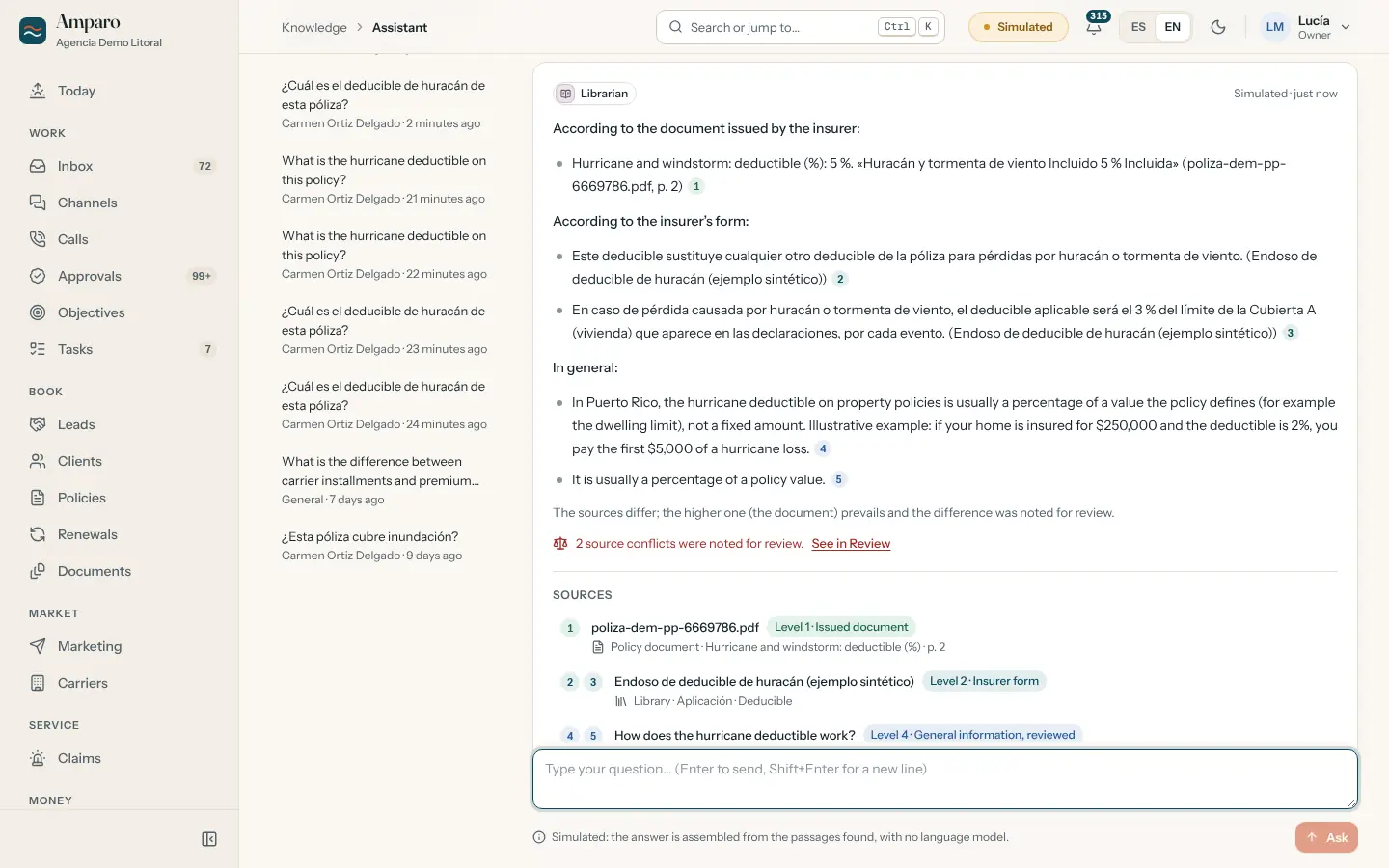
Answers about a policy come from the insurer’s own issued document, with the page and the printed quote, and say which source they used. If no source for the policy answers a coverage question, it does not guess: it says the document is missing and offers to ask for it. Legal questions, and whether a particular loss is covered, go to a licensed person.

What is the hurricane deductible on this policy?
According to the document issued by the insurer: Hurricane and windstorm: deductible (%): 5%.
Level 1 · Issued document · p. 2Hurricane and windstorm Incluido 5 % Incluida
Which source wins
  1. Document issued by the insurer
  2. The insurer’s form
  3. The agency’s record, without a document
  4. Article reviewed by a licensed person
  5. General context, not reviewed

A shortened version of a demo answer; the real one also lists the other sources and logs the differences between them.
Gmail and Outlook

Email first

Your agency lives in email, so that is where this starts. It reads the mailbox, files each message under its client, and shows what it understood, with the exact quote, and what is waiting for a person. There are connectors for Gmail and Outlook.

ClientI want to know whether my policy covers flood
Filed under the client
InsurerQuote attached for the personal package
Read and linked to the renewal
Unknown senderAsking about commercial coverage
Waiting for a person
Measured from the records

Agents with objectives, not just schedules

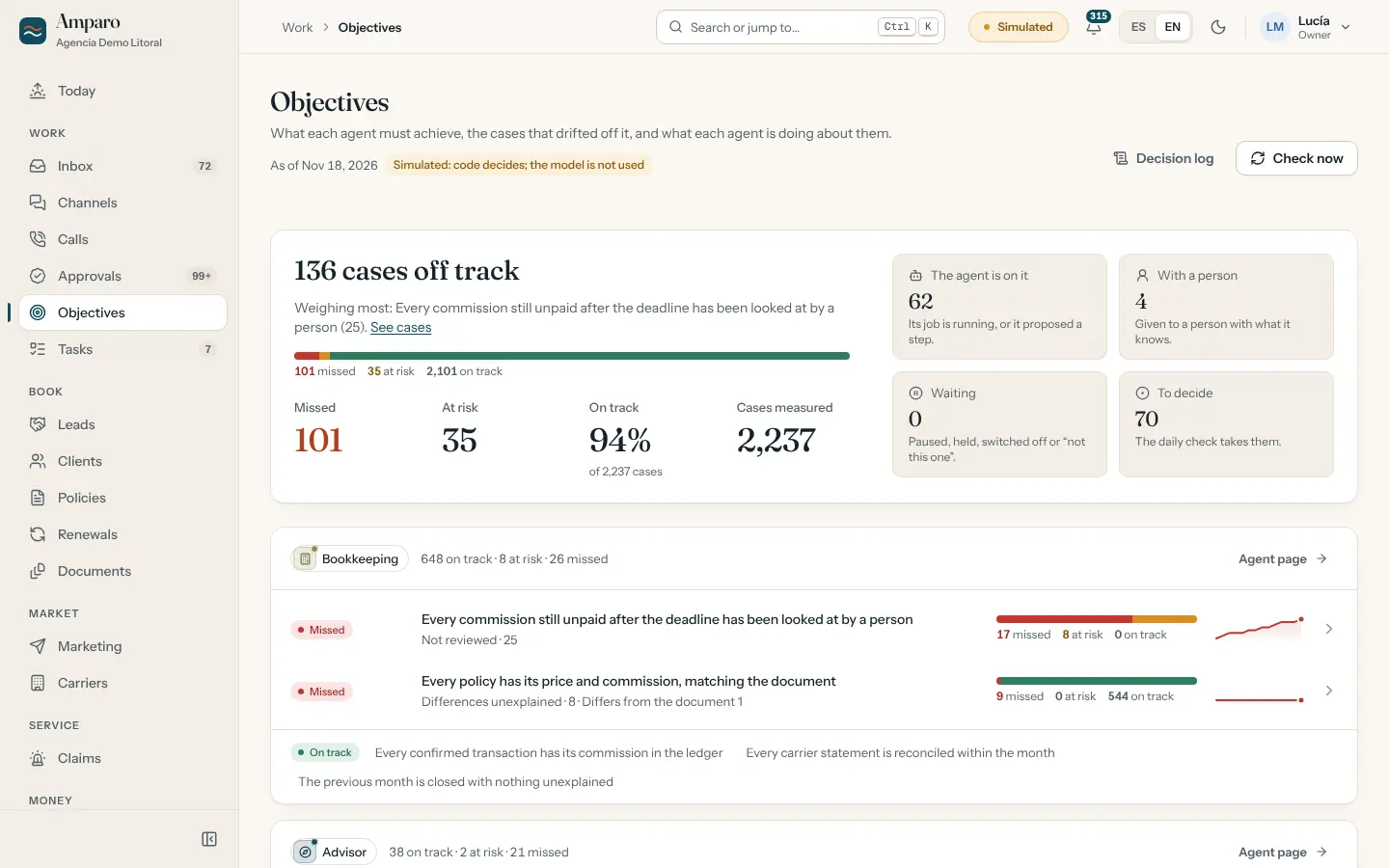
Each agent answers for an outcome: no policy expires without a decision, no installment comes due without reminders, every email is filed or with a person. The board measures each objective from the data and marks cases “On track”, “At risk” or “Missed”, and what was done about them.

  • No policy expires without a decision
  • No installment comes due without reminders
  • Every email is filed or with a person
On trackAt riskMissed
You set the limit

A person is always in charge

For each kind of action you choose: automatic, needs approval, or off (except a few fixed ones, such as the confirmation of an opt-out and escalations). Anything that requires a license can never be left on automatic. You can pause everything, or keep a client for yourself and the agents step aside. Some routine messages, like payment reminders, go out by themselves out of the box; the agency changes that whenever it wants.

Payment reminderAutomatic
Proposal to the client (licensed decision)Always needs approval
Letter to the insurer (licensed decision)Always needs approval

With approval: the agent prepares it, a person decides.

Spanish first

Staff screens, the client portal and the messages are in Puerto Rico Spanish, with formal usted, and in English. Each client receives messages in the language they prefer.

ES

Buenos días, Carmen. Hay asuntos que necesitan su atención.

EN

Good morning, Carmen. Some items need your attention.

With consent

Texts, WhatsApp and calls, only with permission

Each client agrees or not; if their reply is just STOP or ALTO, the messages stop. Outside the allowed hours, messages wait. The phone agent identifies itself as the automated assistant.

Text with consentWhatsApp with consentCalls voice agent
Tested with sample data

Move over from the system you use today

Upload a CSV or Excel export. You see what would change before anything is touched, a report of what was skipped and why, and you can undo the batch as long as nobody has worked on those records.

  1. Files
  2. Mapping
  3. Dry run
  4. Report
Separate data per agency

Designed for more than one agency

Each agency has its own separate database, with creation, backup and removal per agency.

The product in motion

Inteligensia in motion

A walk through the digital team, the operating loop and what a person decides.

The video is not published in this version yet

When it is published it will appear here, narrated in Spanish with Spanish and English captions.

Narrated in Spanish, with Spanish and English captions. Demo screens, fictional data.

The product, inside

Real screens, not mock-ups

Captured from the running demo, in light and dark themes. Every name and number is fictional.

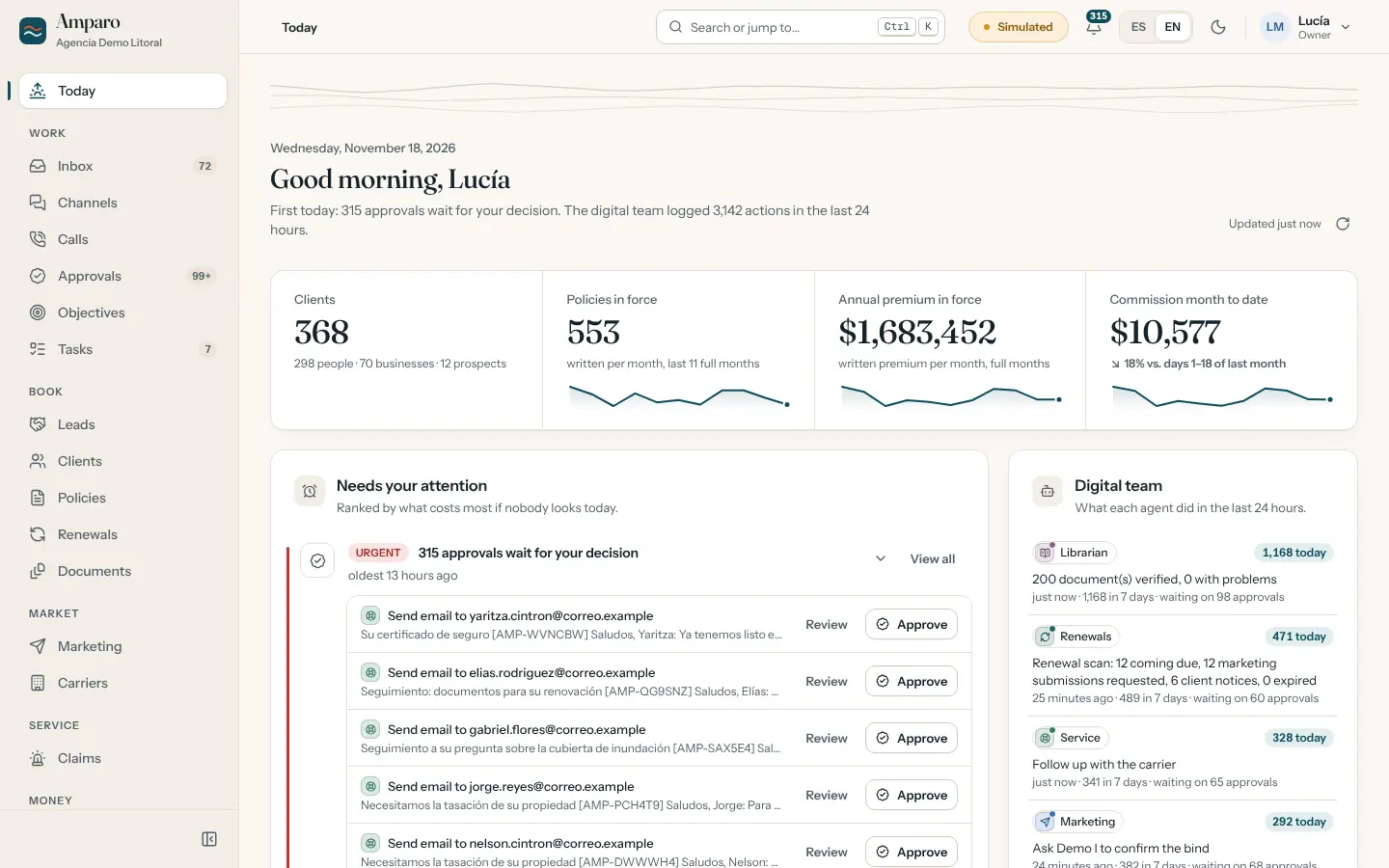
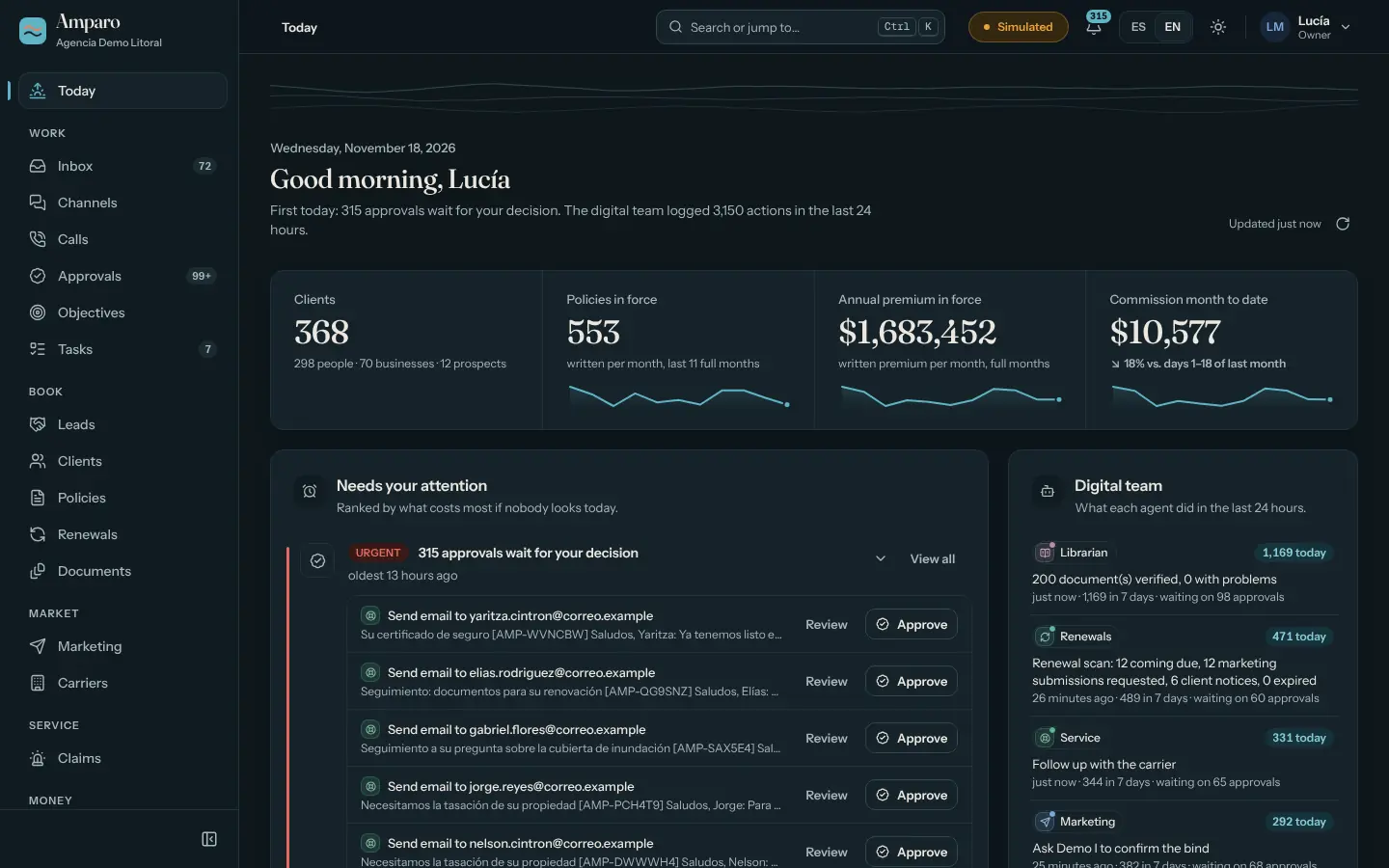
Today. The morning on one screen.Today. The morning on one screen.

Today. What needs your attention first, the agency’s numbers and what the digital team did in the last 24 hours, with buttons to approve.

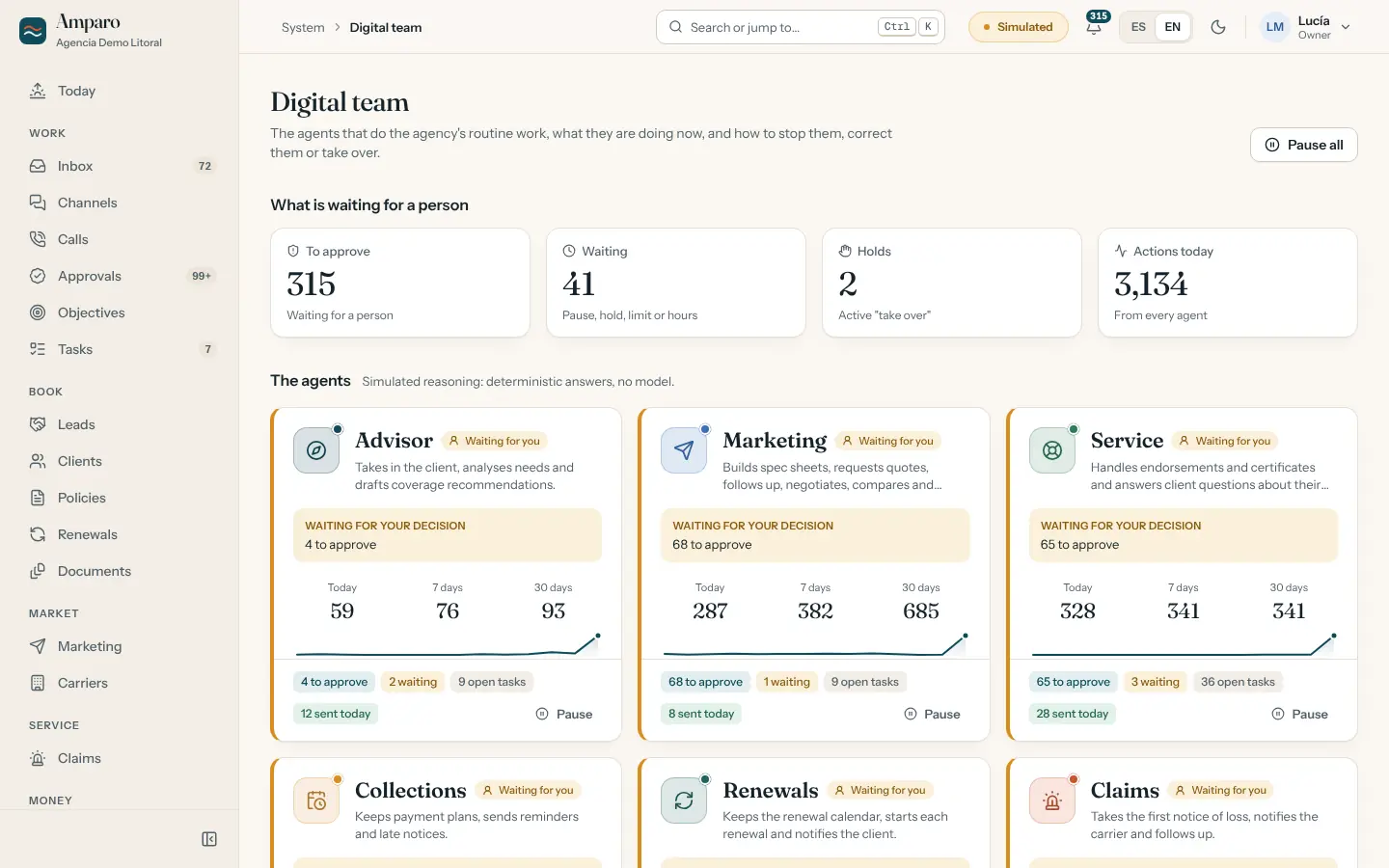
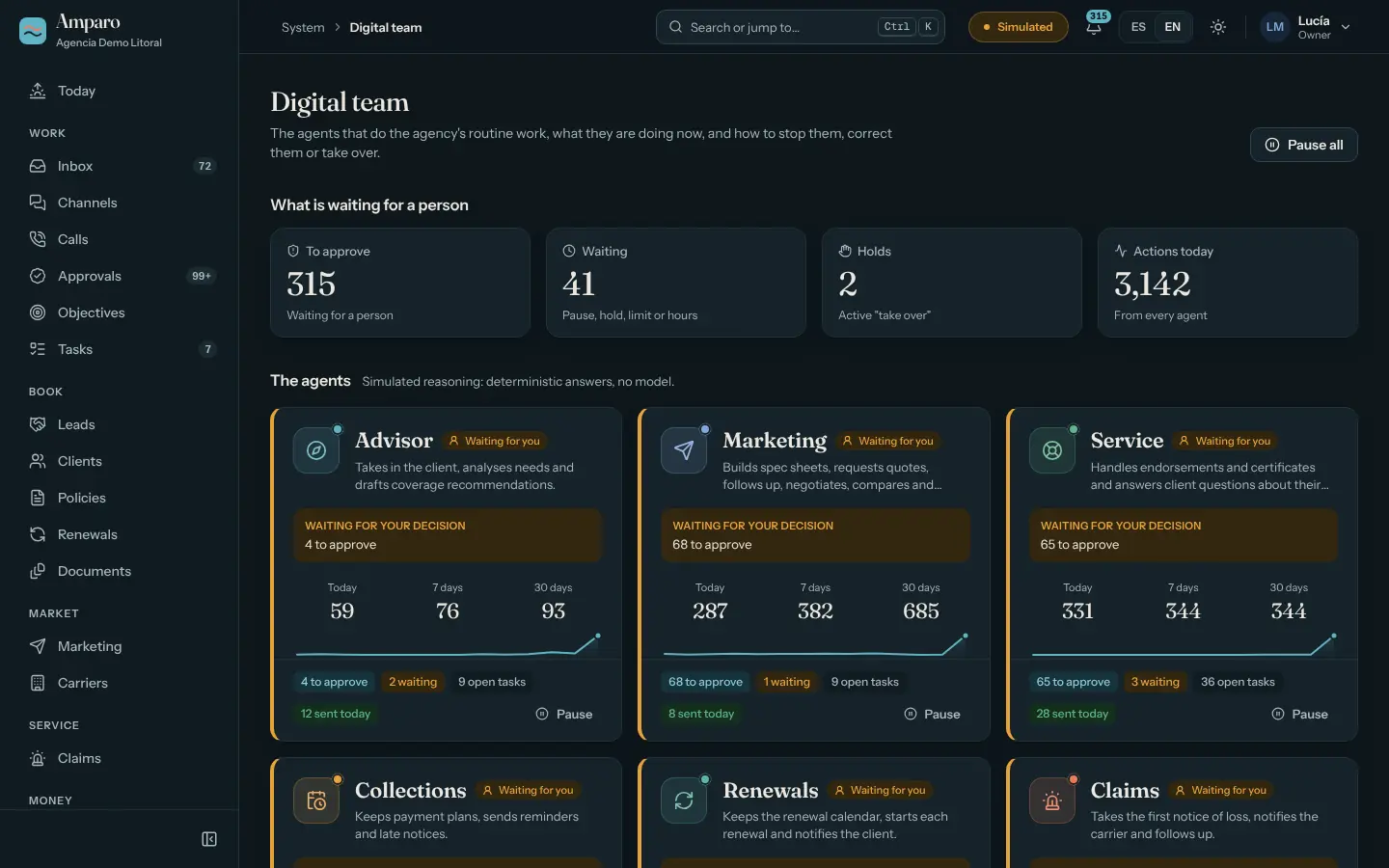
Digital team. What each agent did.Digital team. What each agent did.

Digital team. Each agent, what it did and what is waiting for a person. From here you pause, set autonomy per kind of action and move the simulation clock.

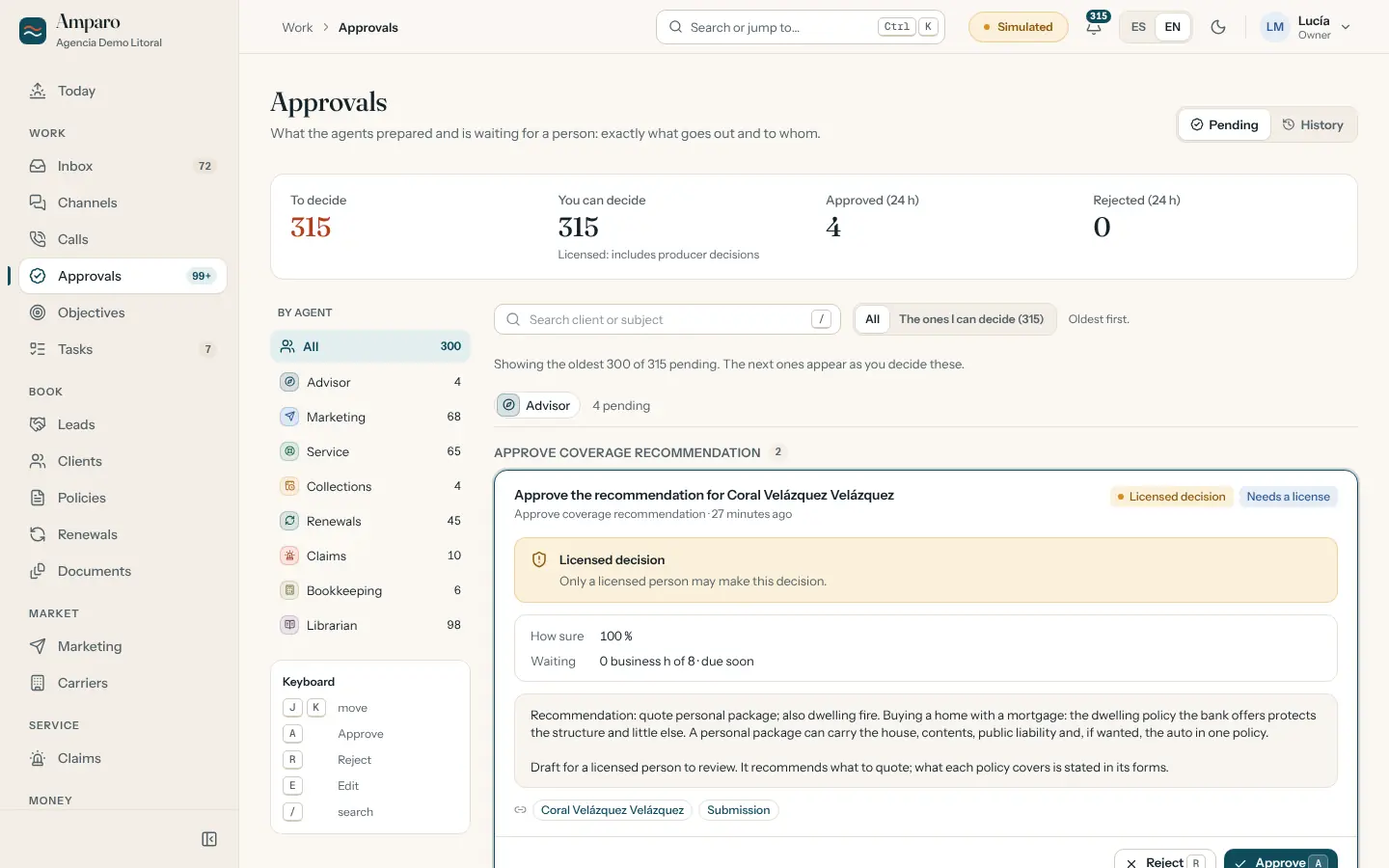
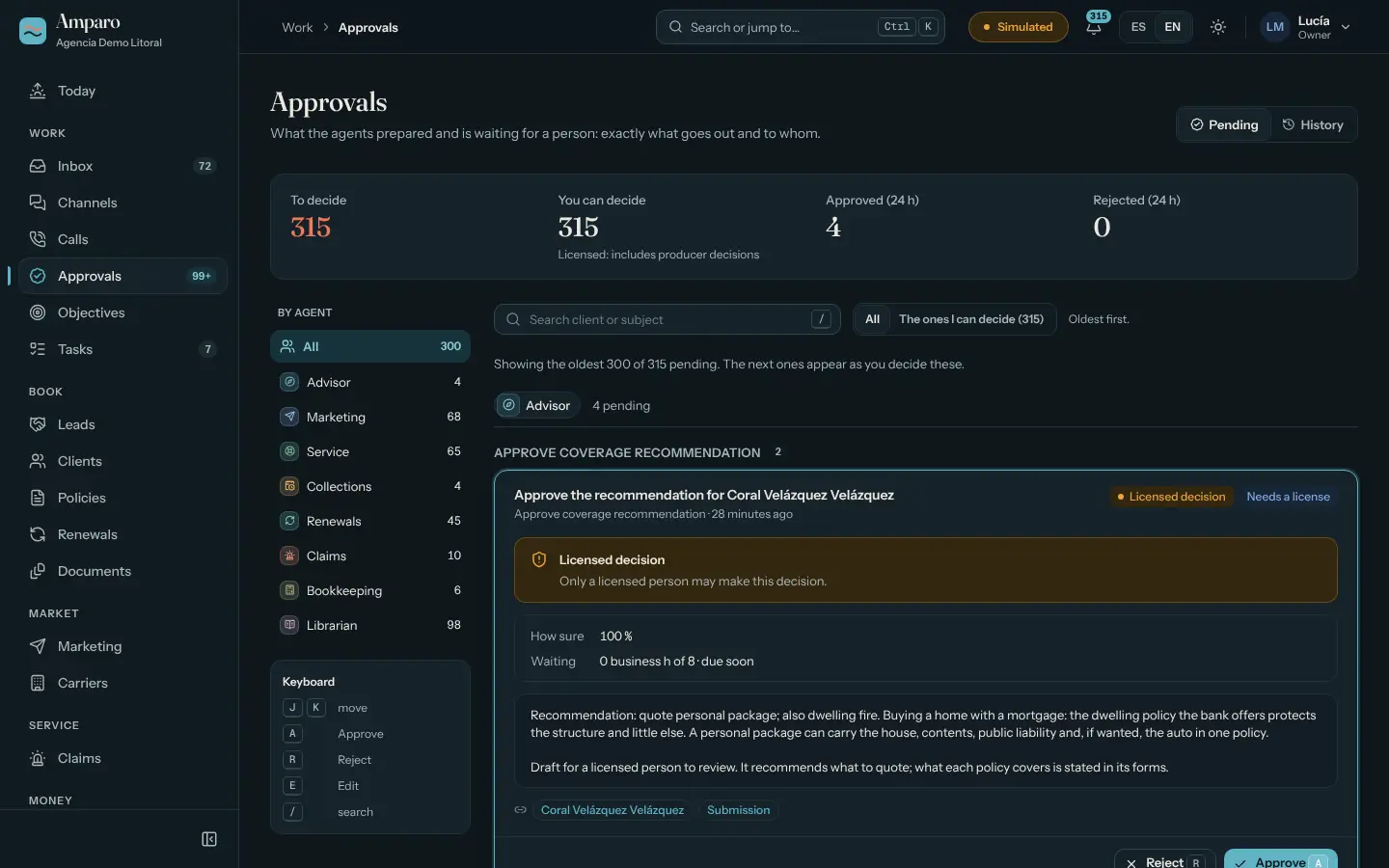
Approvals. An agent prepares, a person decides.Approvals. An agent prepares, a person decides.

Approvals. Every draft shows what goes out and to whom. Approve, edit or reject; what requires a license waits for a licensed person.

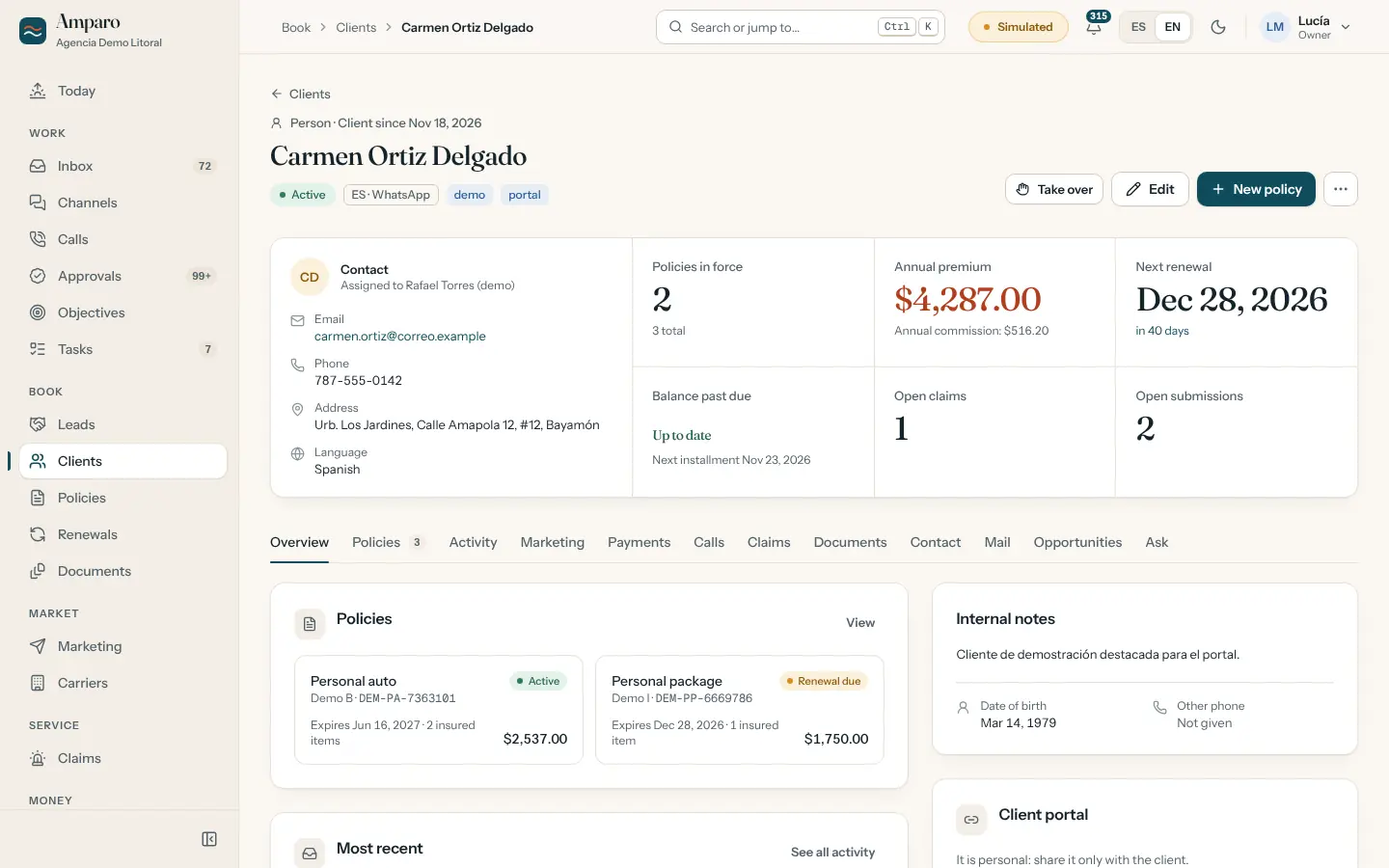
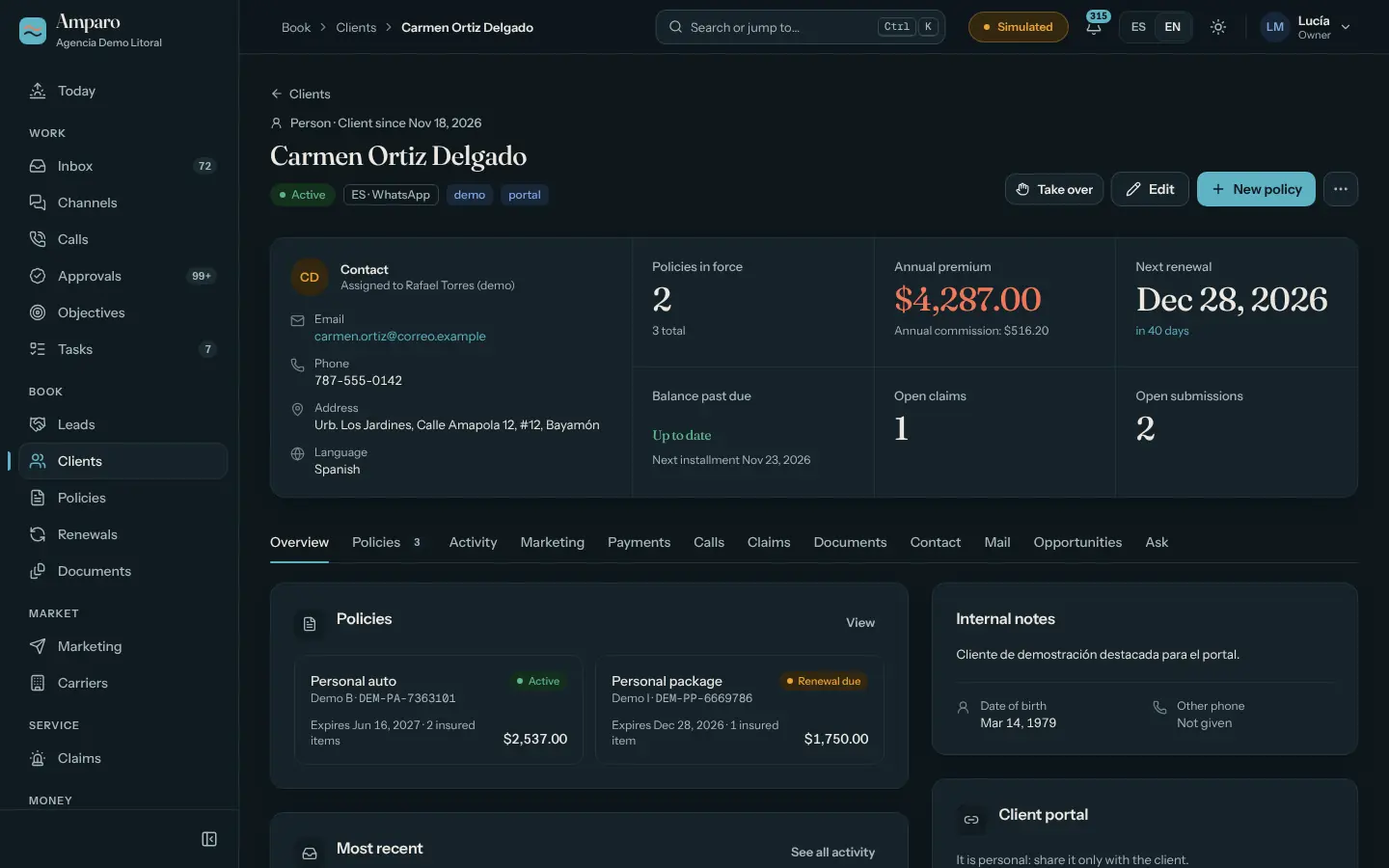
A client. The whole story.A client. The whole story.

A whole client. Policies, activity, marketing, payments, claims, documents and email, with who looks after them and an “Take over” button.

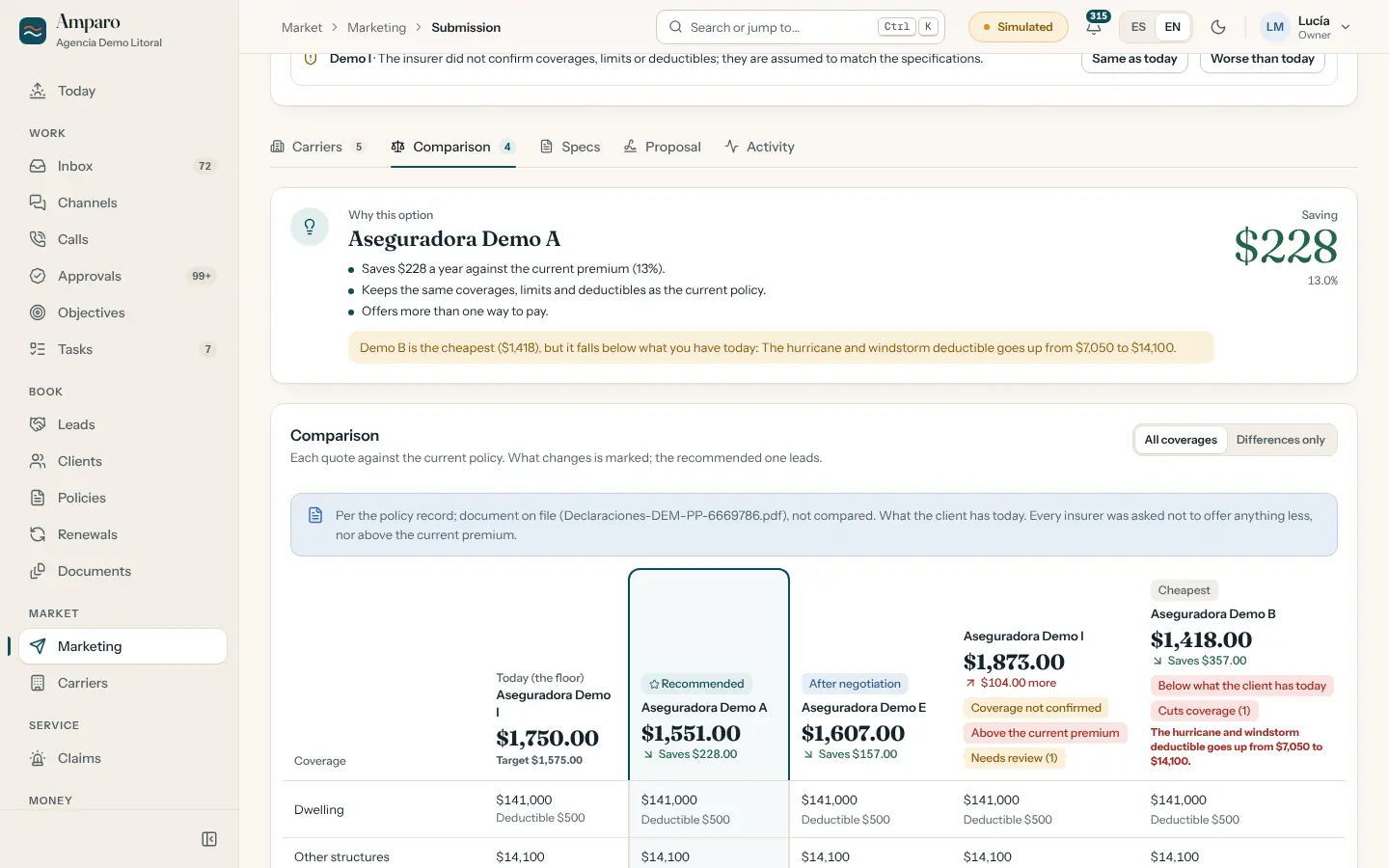
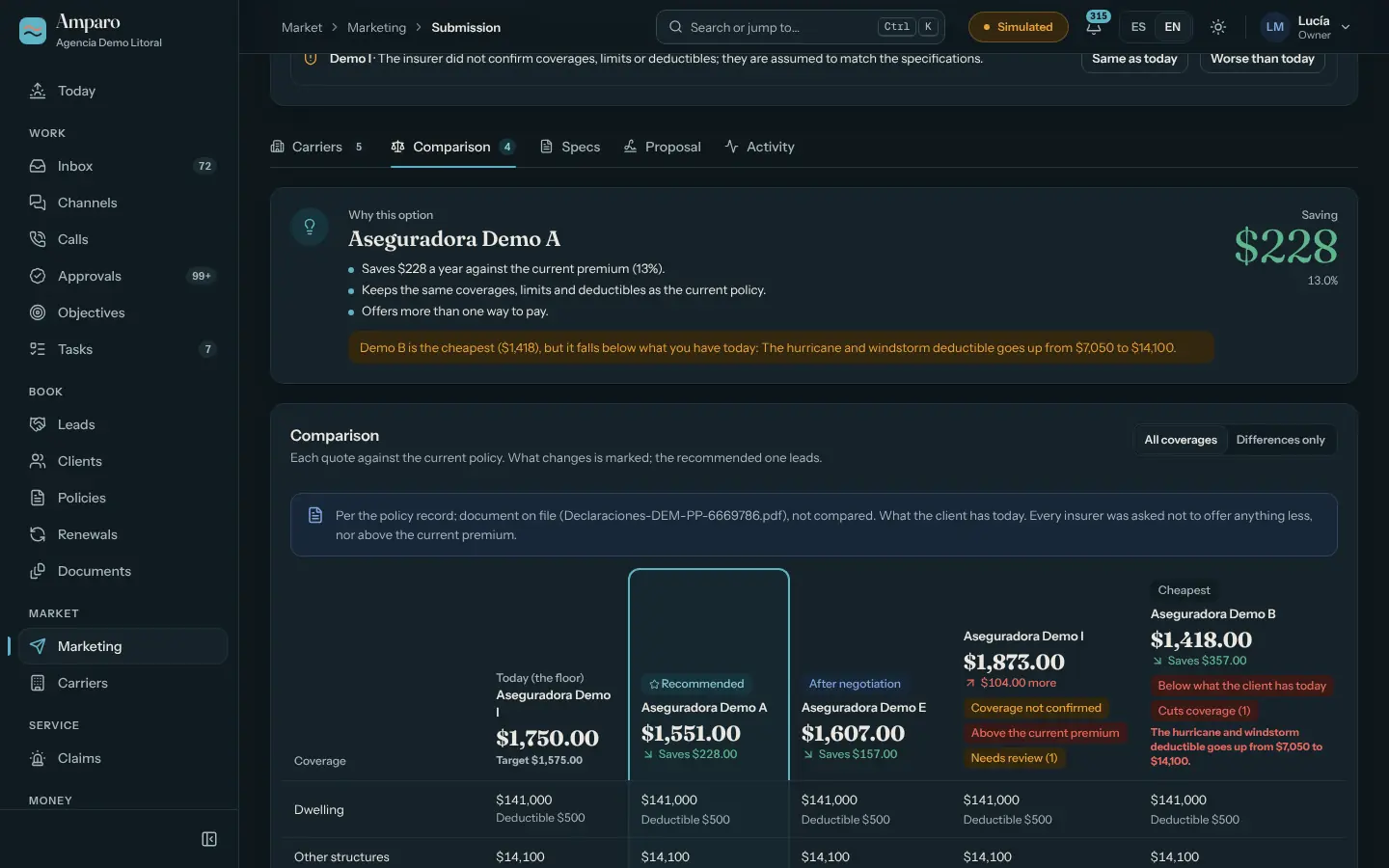
Renewal. Each quote against the current policy.Renewal. Each quote against the current policy.

Marketing a renewal. Each quote against the current policy, with what changes marked: what falls below what the client has today and what goes over the current premium.

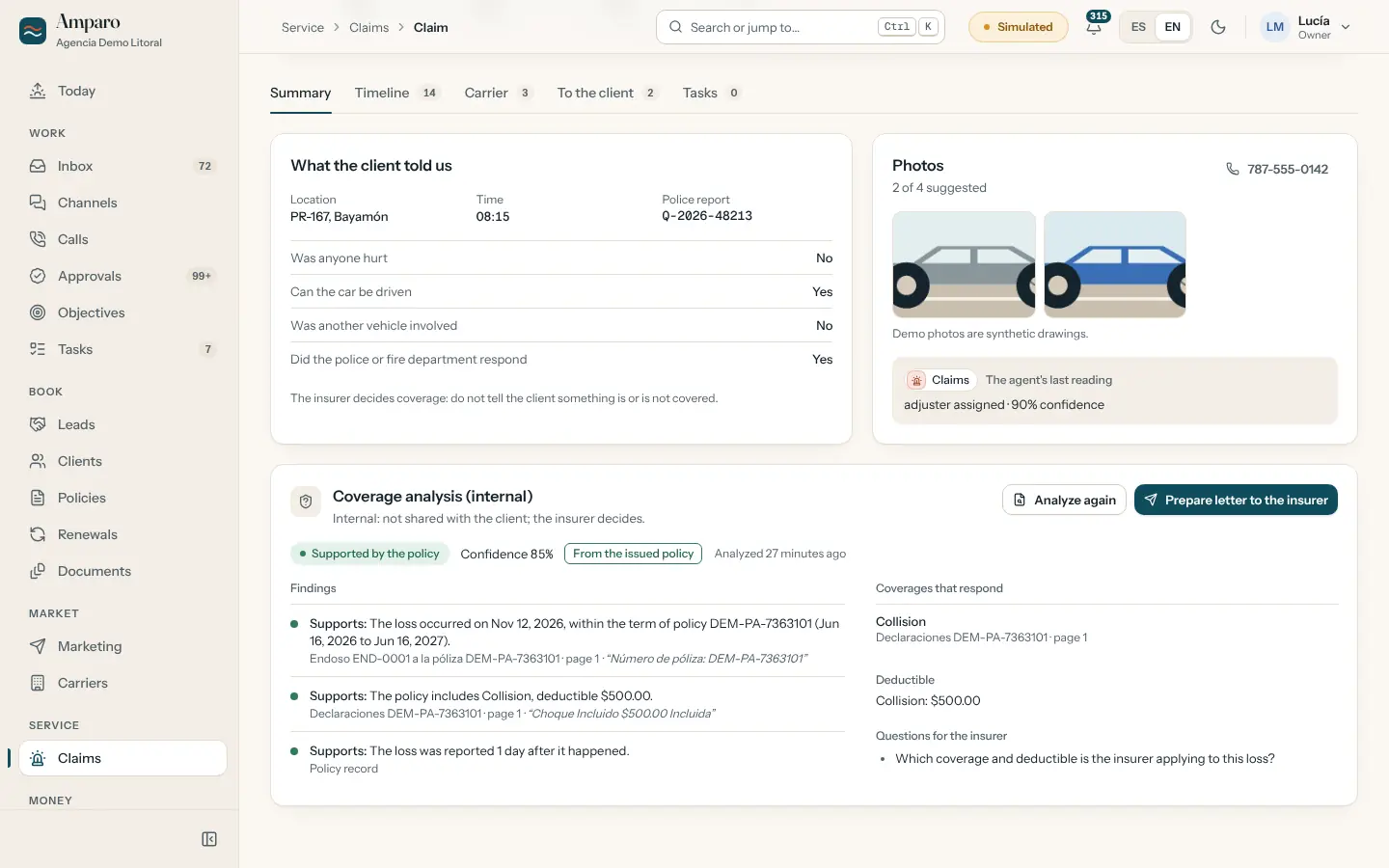
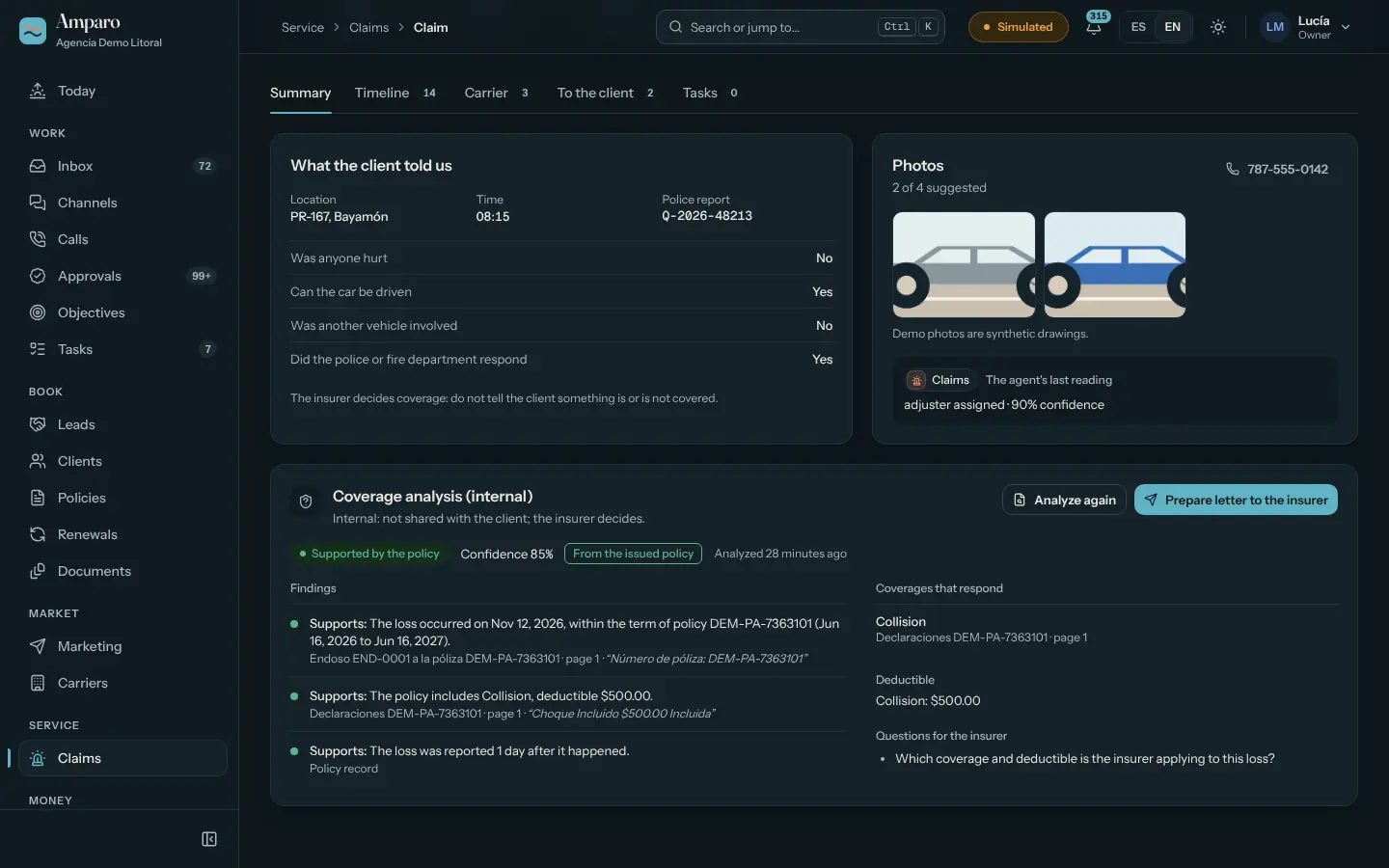
Claim. With an internal coverage analysis.Claim. With an internal coverage analysis.

A claim. The internal analysis cites the document, page and quote from the policy. It is for staff only: it is not shared with the client. The letter to the insurer waits for a licensed person.

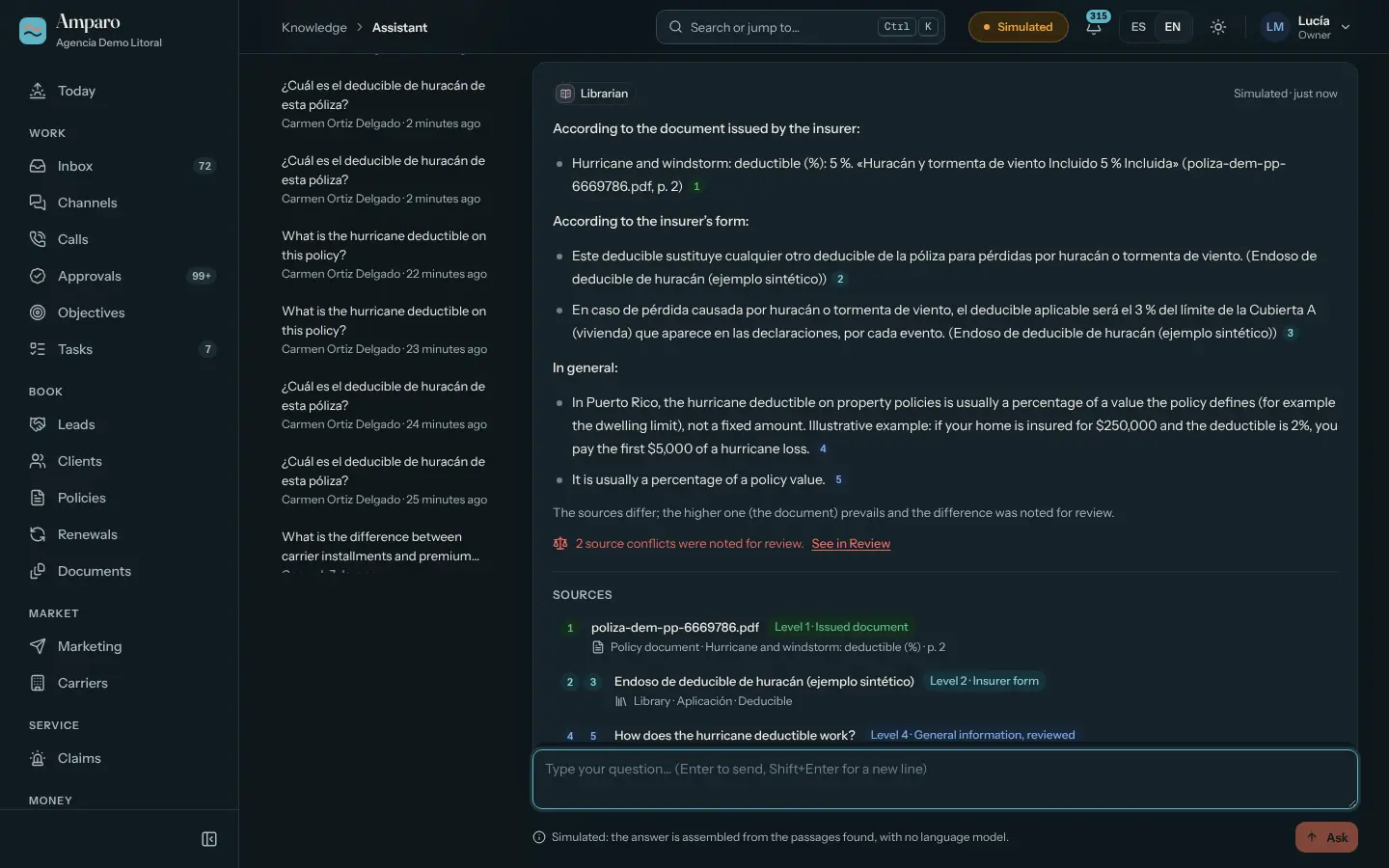
Assistant. Answers from the policy, with sources.Assistant. Answers from the policy, with sources.

Assistant. It answers with the issued document first, then the insurer’s form, the record and general context, and logs differences between sources for review.

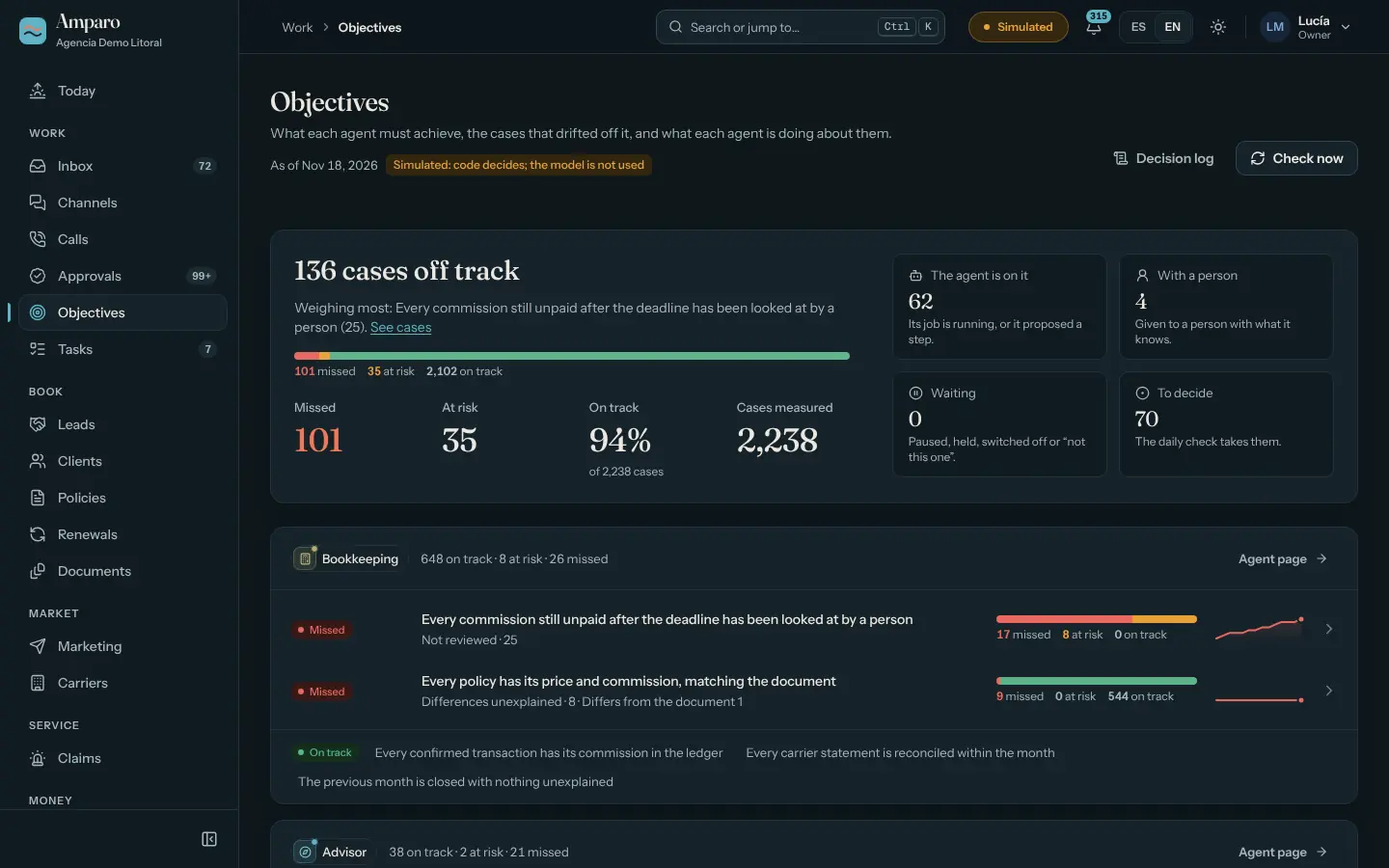
Objectives. On track, at risk, missed.Objectives. On track, at risk, missed.

Objectives. What each agent should achieve, the cases that fell off track and what is being done about each one.

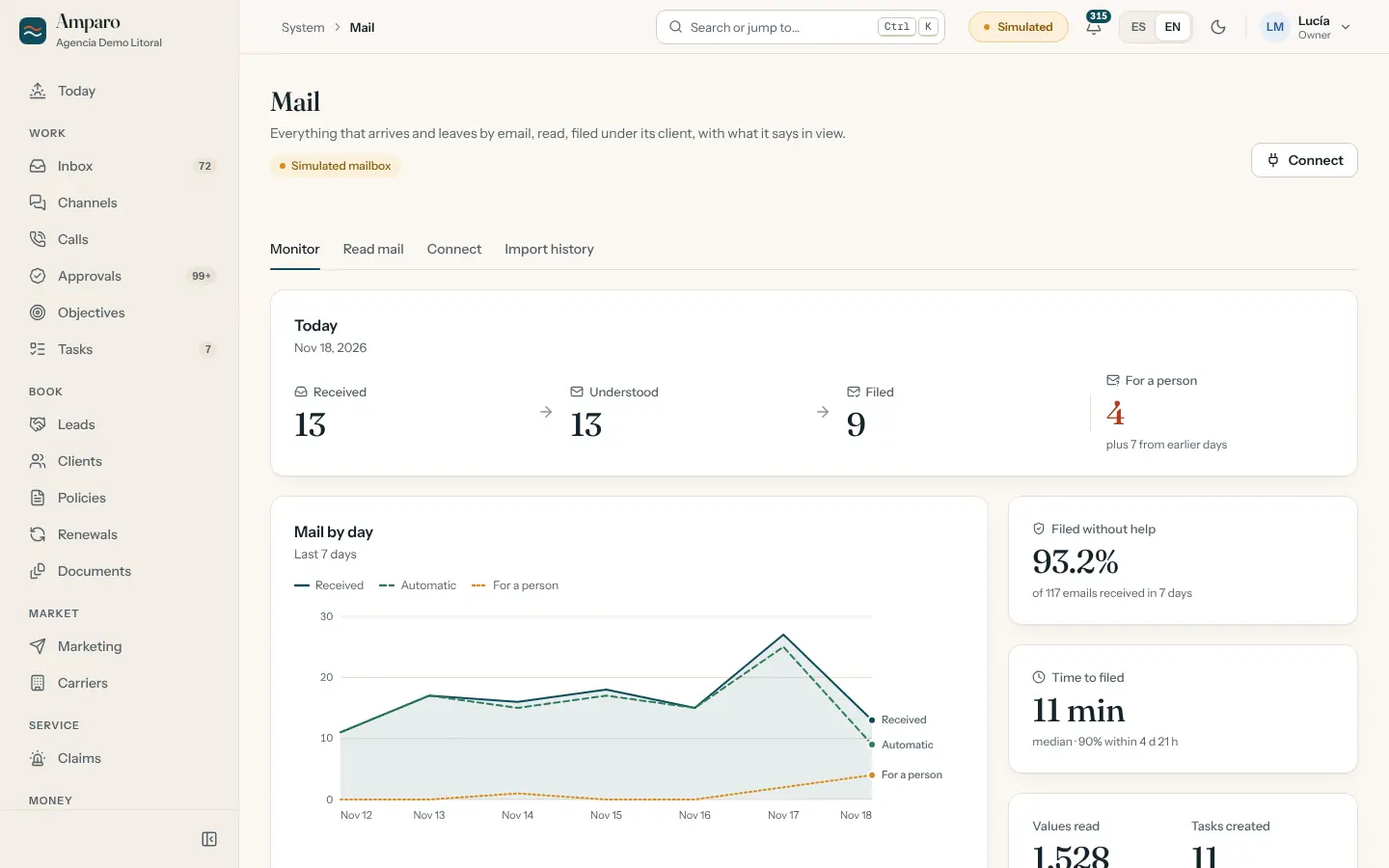
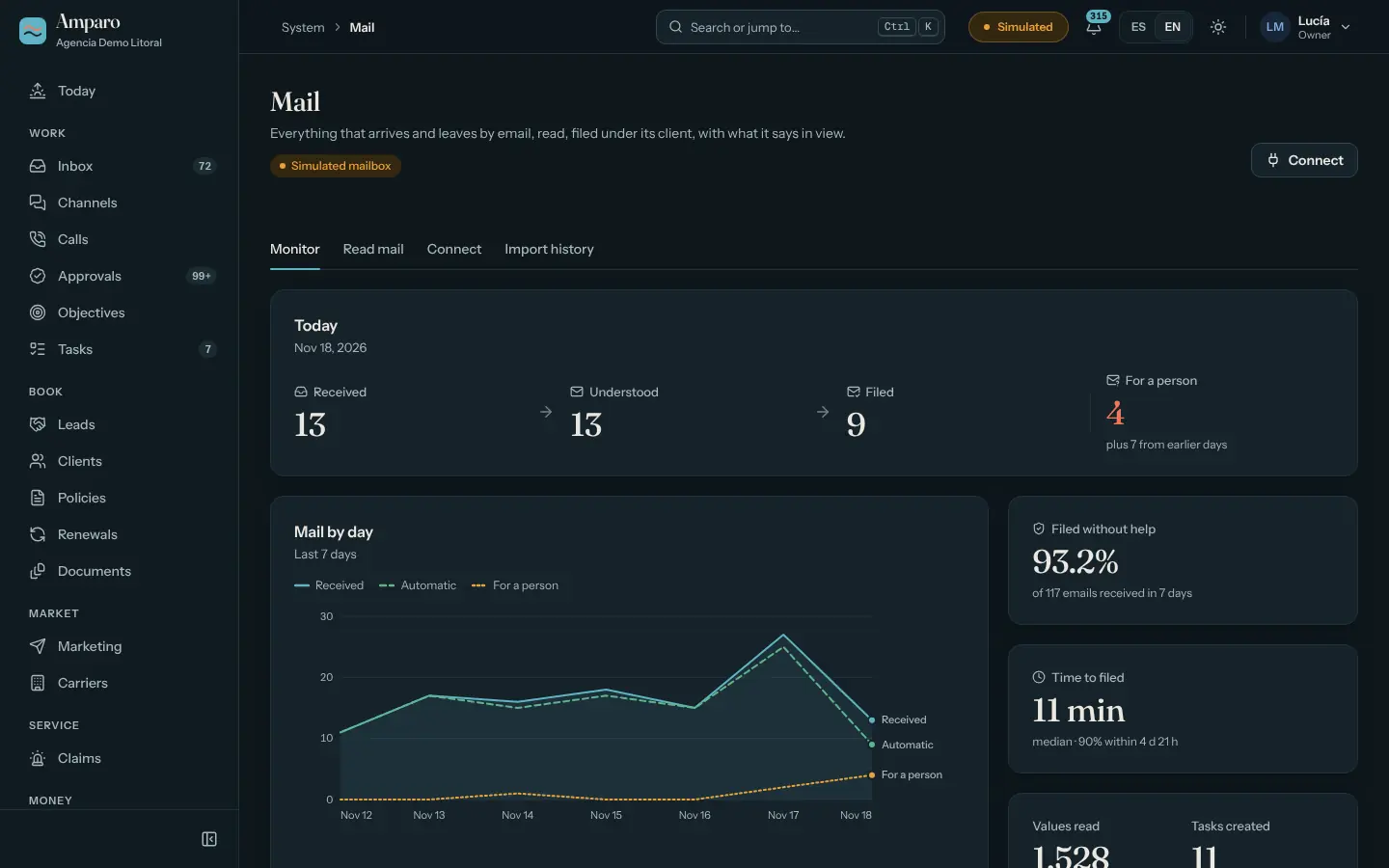
Mail. What arrived and what was understood.Mail. What arrived and what was understood.

Mail. How many messages arrived, how many were understood and filed by themselves, and how many are waiting for a person.

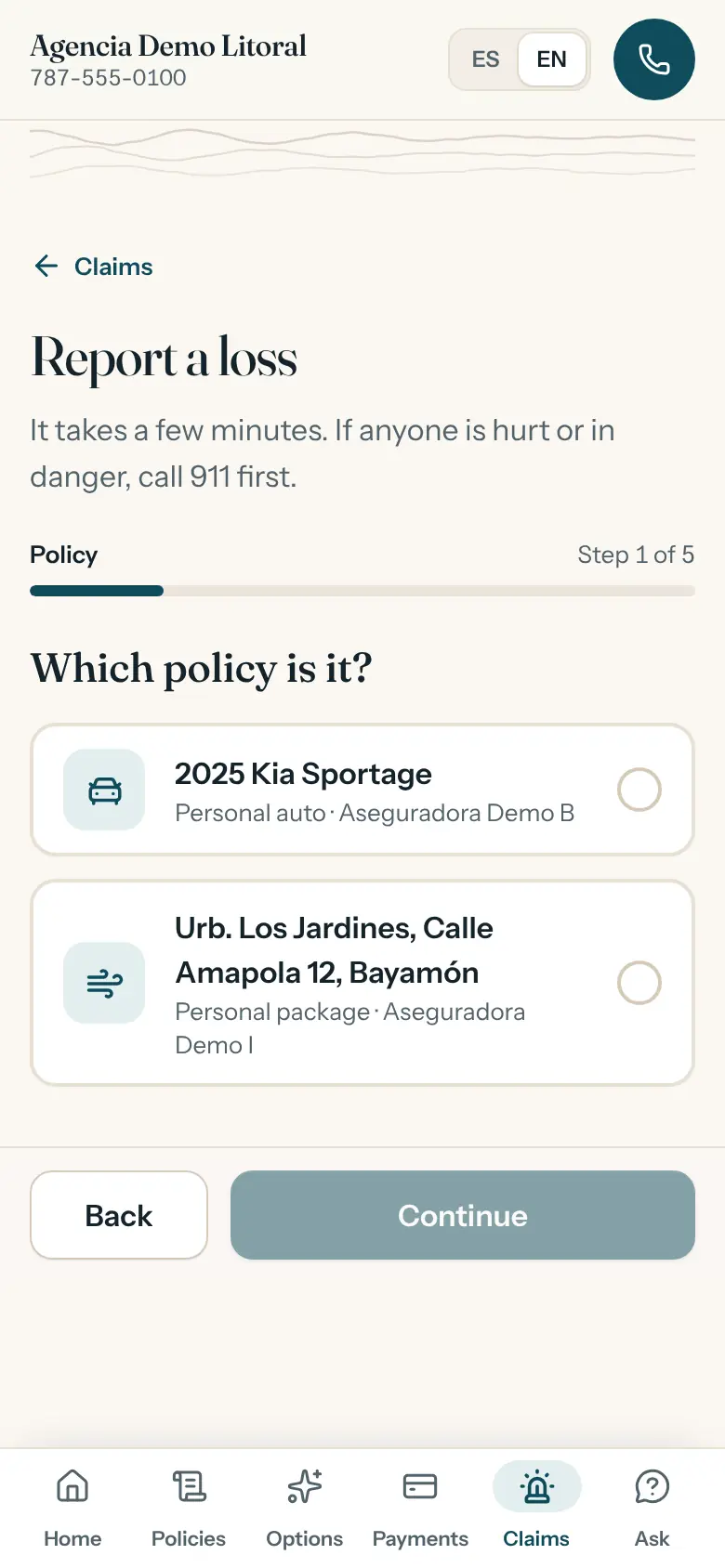
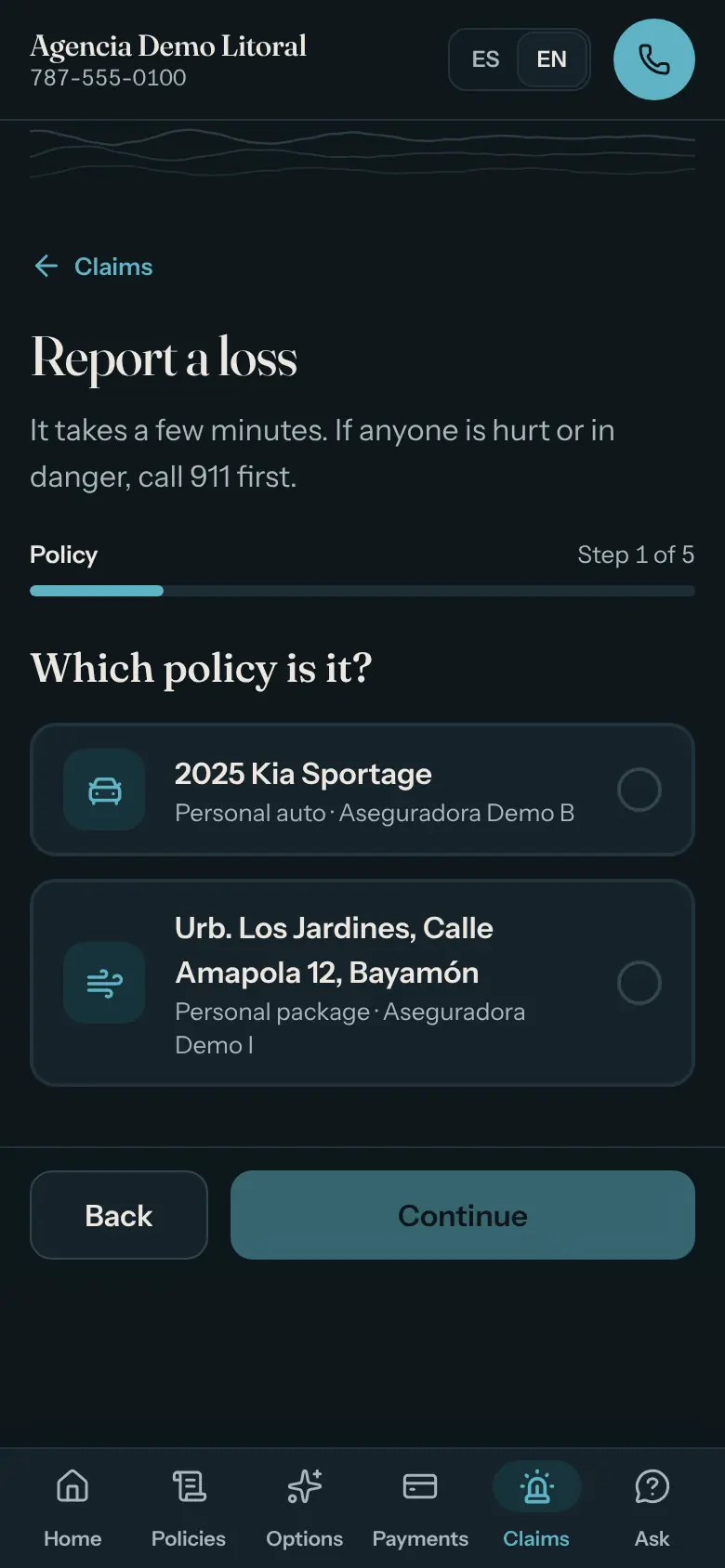
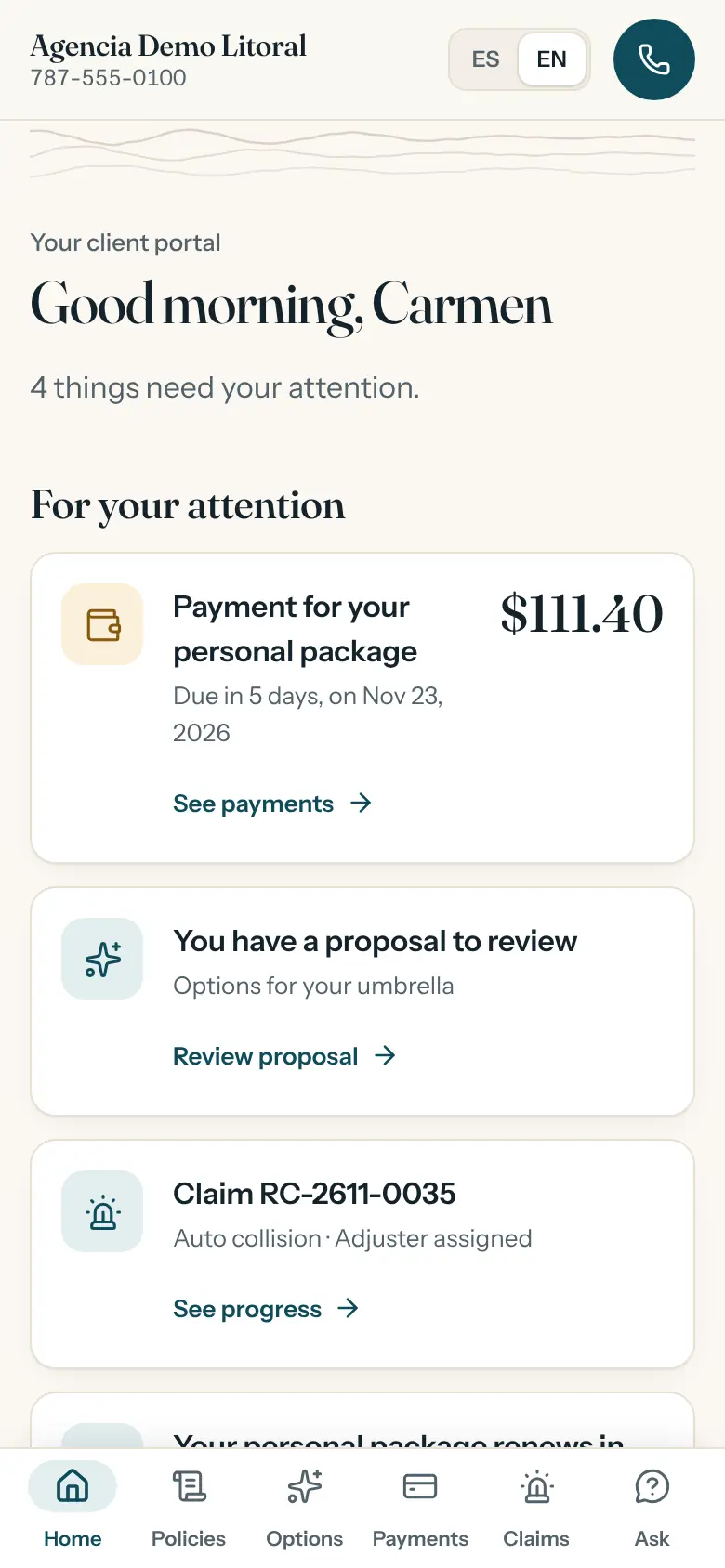
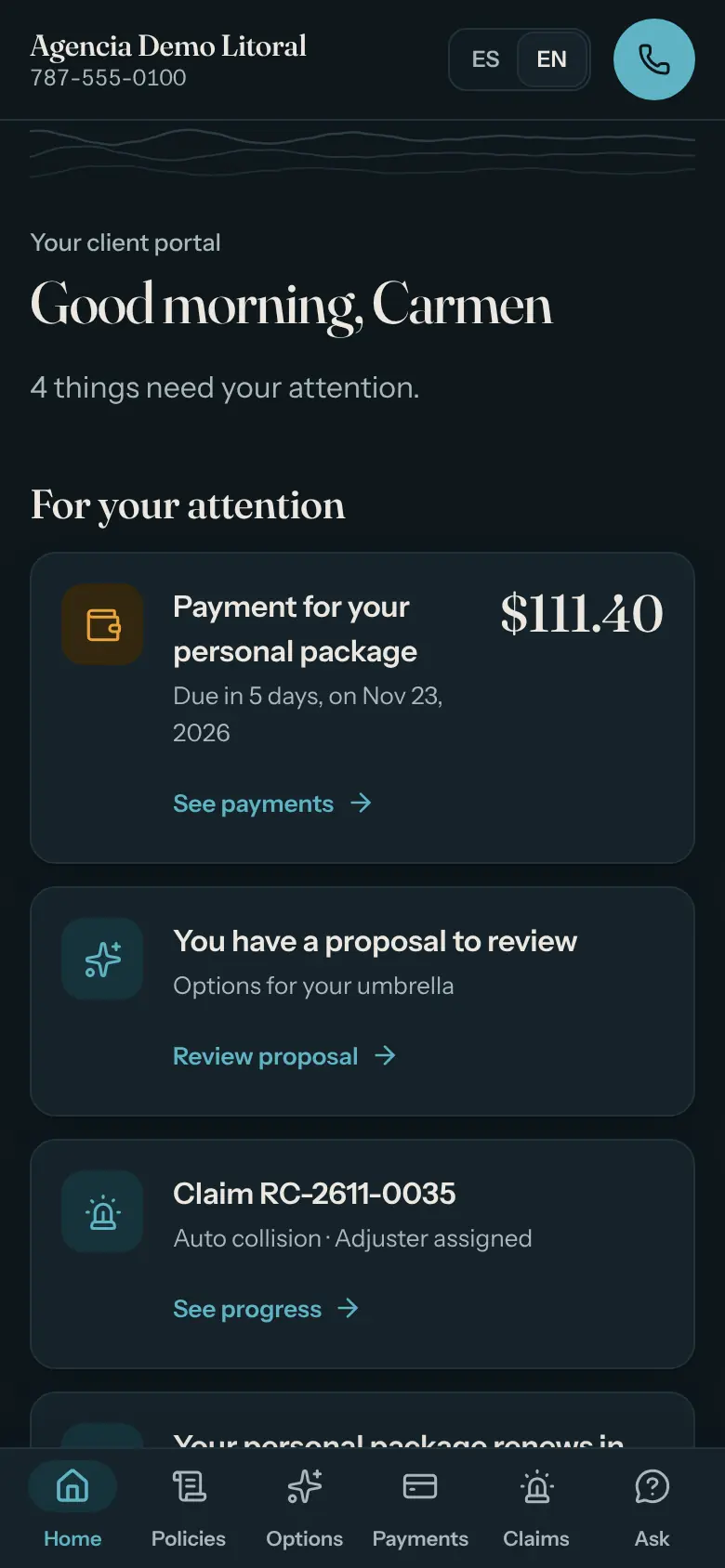
Client portal (1/3). On the phone, no password.Client portal (1/3). On the phone, no password.
Client portal (2/3). On the phone, no password.Client portal (2/3). On the phone, no password.
Client portal (3/3). On the phone, no password.Client portal (3/3). On the phone, no password.

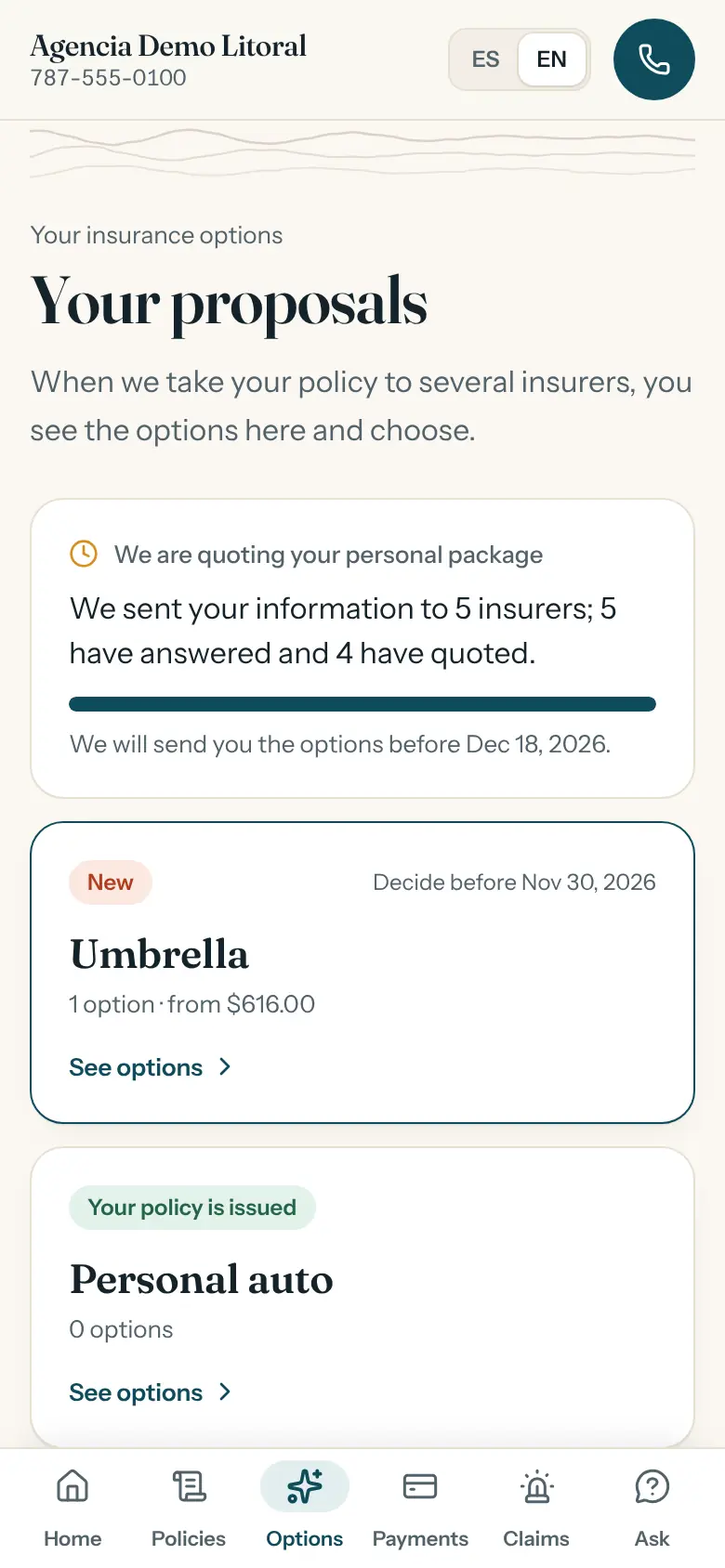
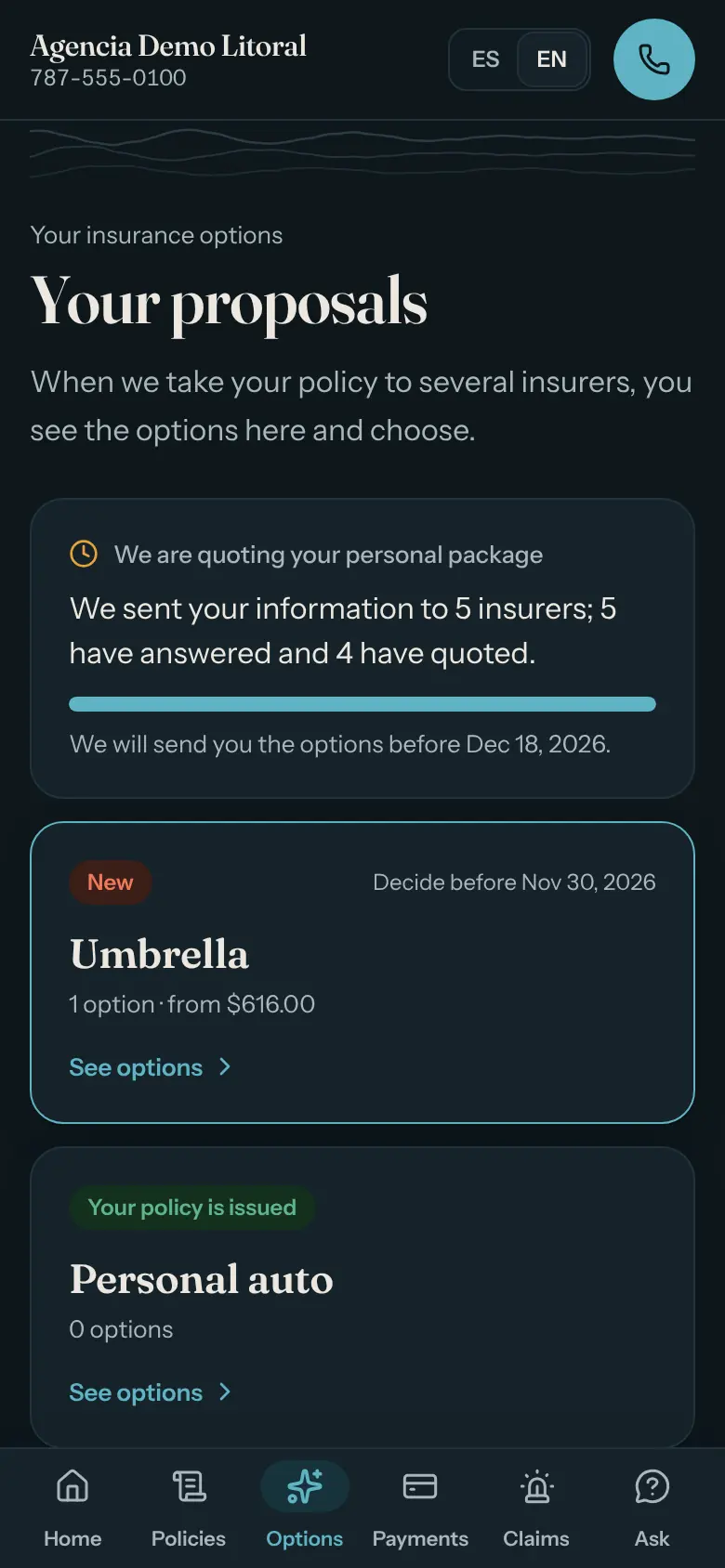
The client portal. It opens from a link the client gets by email. There they see their policies and payments and the options you prepared, and can report a loss with photos and follow it.

Screenshots of the demo with synthetic data. In the screenshots, the names of real insurers were replaced with demo names.

Roles

Each person sees what is theirs

Six roles with different menus and permissions. The agency adjusts the permissions for each role.

  • Owner

    Full access

    Everything, including users, settings, integrations and the simulation clock. Can approve licensed decisions if marked as licensed.

  • Producer

    Book and marketing

    The book, marketing (negotiate, present, bind), claims and collections. Approves what requires a license.

  • Customer service

    Customer care

    Clients, policies and routine approvals. Does not see commissions or approve licensed decisions.

  • Claims

    Claims

    Handles the claims; clients and policies are read-only. The notice and the letter to the insurer wait for a licensed person.

  • Accounting

    Commissions

    Commission ledger, insurer statements and reports. Does not see sensitive client data.

  • Auditor

    Read-only

    Sees the work and the audit log of who did what and when; changes nothing.

Commissions and dates of birth are hidden from the roles that should not see them. “Licensed” is not a role: it is a mark the agency puts on each user, with a license number and an optional expiry date. In the demo only the Owner and the Producer have it. The software does not verify licenses with any authority.

Let’s talk

How to contact us will be published soon.

There is no contact address yet. In the meantime, this page and the video explain what the product does.

Public password-free demo in your browser. If you already belong to an agency on Inteligensia, sign in through Agency login.